
TRUFAST® TruBond™ Induction Welder – Owner’s Guide
The TRUFAST® TruBond™ Induction Welder is engineered for efficiency and safety in commercial roofing applications. This advanced welding system creates consistent, high-strength bonds for membrane attachment, streamlining installation and improving performance.
With its intuitive touchscreen interface, ergonomic design, and field-tested accuracy, the TruBond™ system delivers the precision roofers depend on.
Need Additional Information?
Videos
TRUFAST® TruBond™ Induction Welder Assembly
TRUFAST® TruBond™ Induction Welder How To Use
TRUFAST® TruBond™ Induction Welder Sales
Overview & Components
The TruBond™ Induction Welder uses magnetic induction to heat and bond membranes to approved plates, creating a secure attachment without penetrating the waterproofing layer.
Core Components Include:
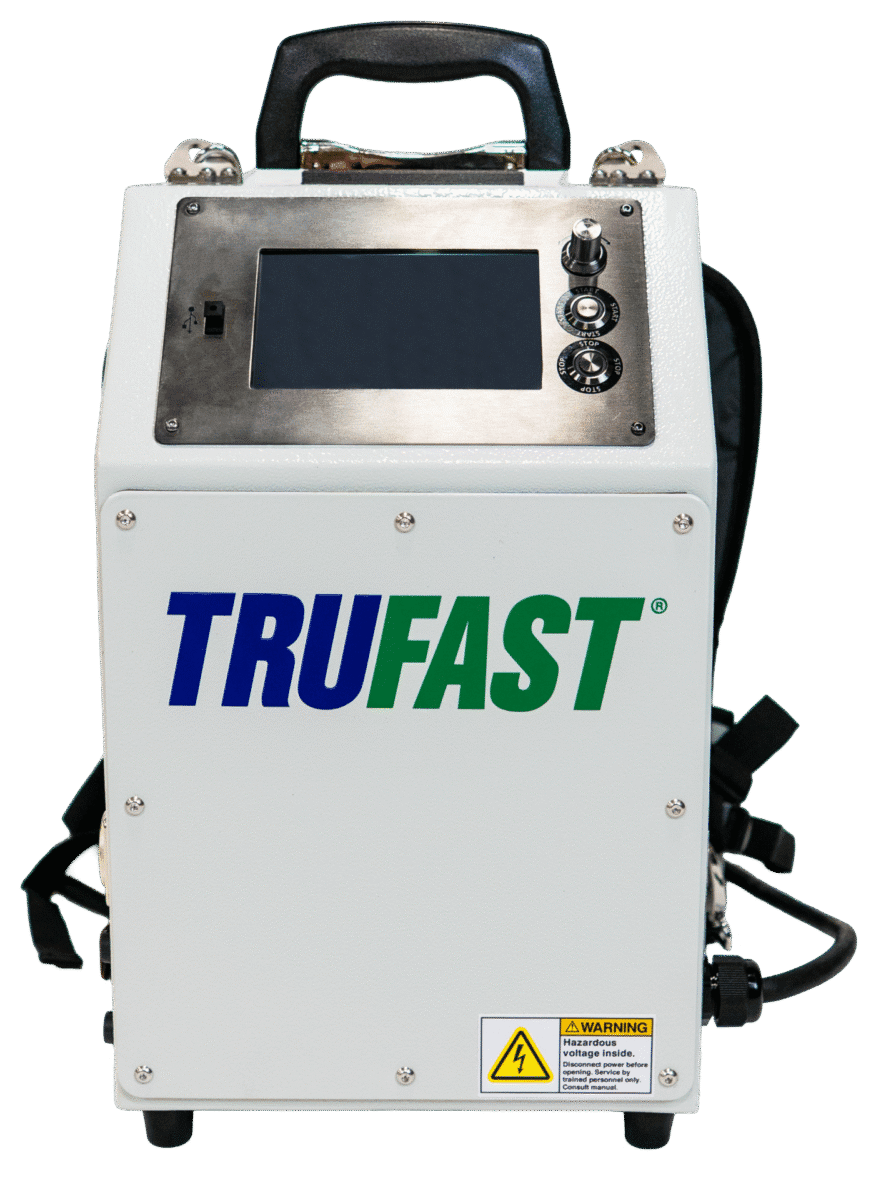
- Induction Welder Unit – compact and balanced for easy operation.
- Touchscreen Control Display – guides setup, monitors welds, and provides real-time diagnostics.
- Magnet Assemblies – 8 heat sink magnets available in short and long handle versions for flat or vertical surfaces.
- Power & Data Cables – connect the unit to the control interface for efficient heat delivery.
- Carrying Case & Straps – portable backpack design for hands-free transport.
Setup & Operation
Follow these simple steps for quick induction welder setup and consistent operation:
- Position the Plate – Place the induction plate beneath the membrane where fastening is required.
- Activate the Welder – Align the weld head over the plate and press the start command.
- Follow On-Screen Prompts – The TruBond™ system automatically adjusts power and time based on conditions.
- Apply the Magnet – Once the weld completes, place the magnet over the plate to cool and secure the bond.
The built-in fault detector confirms plate alignment and membrane contact after activating a weld, reducing the risk of improper bonds.
For ongoing support and welder troubleshooting, Ask an Expert.
Safety, Care & Support
Safety is central to TruBond™’s design. Always follow the on-screen guidance during operation and wear appropriate PPE when handling magnets or heated materials.
Trubond Maintenance Tips
- Wipe the weld head clean after each use.
- Inspect cables for wear or damage.
- Store in the provided carrying case in a dry, temperature-controlled environment.
- Keep the touchscreen free of dust and debris.
Warranty Information
Hapco’s Limited Warranty covers any defects in materials and workmanship of your new TruBond® Induction Welder for a period of three (3) years or 200,000 cycles, whichever comes first, not to exceed 4 years from the manufacture date. To register your product, simply visit our Warranties Page.

